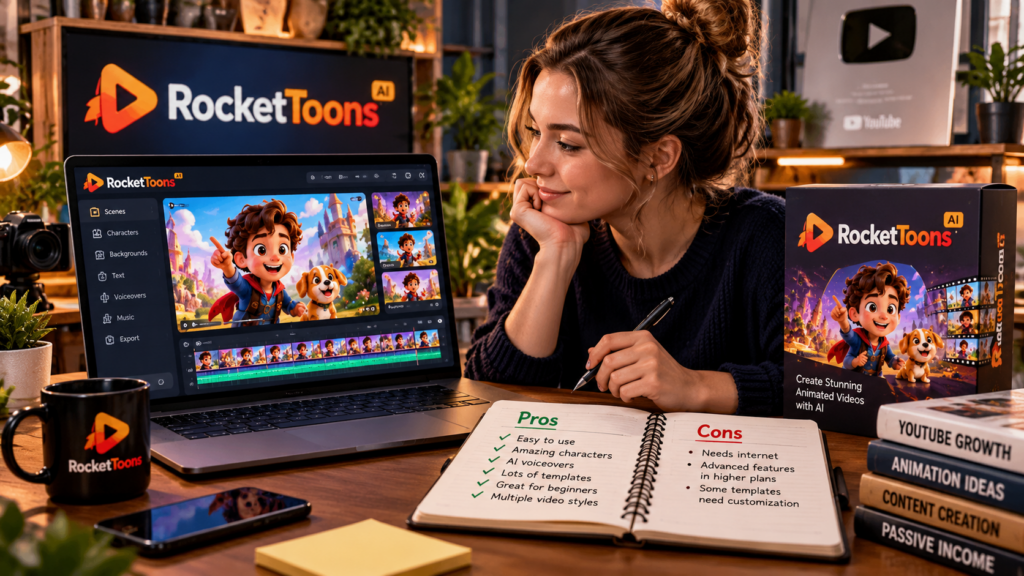
Yes, RocketToons AI can be worth buying for beginners who want to create animated cartoon videos without learning traditional animation software, provided its features, pricing, and workflow match their needs. It is designed to help simplify the process of turning ideas and scripts into animated scenes, making it an option worth investigating for aspiring content creators, entrepreneurs, educators, and small-business owners. If you want to explore the offer, check out RocketToons AI here and evaluate whether it fits your creative goals before purchasing.
Is RocketToons AI Beginner-Friendly?
One of the biggest obstacles beginners face when creating animated videos is the technical learning curve. Traditional animation can involve character design, scene composition, movement, editing, voice recording, and sound production. Learning all these skills separately can take considerable time.
RocketToons AI aims to bring several of these activities into one creative workflow. Its advertised capabilities include AI-assisted script creation, cartoon characters, scene generation, voice options, soundtrack features, and video exports.
For beginners, this approach may make the creative process more approachable. Instead of starting with complicated animation techniques, users can concentrate on developing an idea, organizing a story, and reviewing the finished scenes.
However, beginner-friendly does not mean completely effortless. You should still expect to spend time learning the interface, understanding the available settings, and improving your results through experimentation.
What Can Beginners Create With RocketToons AI?
The platform may be useful for several types of animated content.
1. Cartoon Story Videos
Beginners interested in storytelling can explore cartoon videos built around characters, dialogue, and individual scenes. This could include entertaining stories, short episodes, or educational narratives.
2. YouTube Videos
Animated videos can provide an alternative to traditional talking-head content. Creators can experiment with storytelling, explainers, educational material, and entertainment formats.
3. Business Explainer Videos
Small-business owners can use animation to explain services, introduce products, communicate ideas, or make complicated subjects easier to understand.
4. Educational Content
Teachers, trainers, and educational creators can explore animated presentations that make lessons more engaging. Characters and visual storytelling can help illustrate concepts that might otherwise require lengthy explanations.
5. Social Media Videos
RocketToons AI advertises multiple export formats, including landscape, vertical, and square video formats. These options may help creators prepare content for different social platforms without building every video from scratch.
Which Features Should Beginners Pay Attention To?
Before purchasing, focus on the features that directly affect your intended workflow.
- AI script assistance: Useful for developing initial story ideas and organizing dialogue.
- Character customization: Helps creators develop characters suited to their stories and visual identity.
- Scene controls: Look for options that let you adjust actions, camera settings, sound effects, and clip duration.
- AI voices: Multiple voice options may help beginners create narrated videos without recording everything themselves.
- Video export options: Check supported resolutions, formats, and watermark conditions.
- Editing flexibility: Review how easily you can correct dialogue, adjust scenes, and improve individual sections.
A particularly useful capability to investigate is the ability to preview storyboards and voiced animatics before finalizing a video. Previewing scenes can help identify problems earlier in the production process.
How Should a Beginner Get Started?
You do not need to begin with a complicated animation project. Start with something small and manageable.
- Choose one simple idea. Pick a short story, product explanation, or educational topic that can be communicated in a few scenes.
- Write a short script. Keep the dialogue natural and divide the story into a clear beginning, middle, and ending.
- Explore the character and scene options. Select a visual style, develop your characters, and organize the scenes.
- Preview and improve the video. Check dialogue, character appearance, pacing, voice quality, and scene transitions.
- Export and review the final result. Watch the complete video before publishing it and make any necessary corrections.
Your first project should be a learning exercise. Once you understand the workflow, you can gradually experiment with longer stories and more ambitious projects.
What Should Beginners Check Before Buying?
Even an attractive AI video offer deserves careful evaluation. Consider these questions before committing:
- Does the advertised feature set cover the type of videos you want to create?
- Are the export resolution and formats suitable for your publishing platforms?
- Are there limits on video length, rendering, credits, or storage?
- Are additional upgrades required for features you consider essential?
- Do the commercial-use terms cover your intended projects?
- Can you edit and correct generated scenes when the results are not satisfactory?
Also remember that AI-generated content may require human editing. Character consistency, dialogue quality, scene continuity, and visual details should all be reviewed before publishing.
For a closer look at the advertised features, pricing, upgrades, and buying considerations, read the complete RocketToons AI review and buyer overview before making your decision.
Is RocketToons AI Worth It for Beginners? Pros and Considerations
Potential advantages:
- Combines several advertised video creation capabilities in one platform.
- Offers AI-assisted script and scene creation.
- Provides character customization and multiple visual styles.
- Includes voice and soundtrack options.
- May reduce the need to learn several separate animation tools.
Things to consider:
- There may be a learning curve despite the AI-assisted workflow.
- Generated scenes may need manual adjustments.
- Some capabilities may depend on additional upgrades or usage limits.
- AI-generated videos still require creative direction and quality control.
Frequently Asked Questions
Can beginners use RocketToons AI without animation experience?
RocketToons AI is designed to simplify cartoon video creation through AI-assisted tools. Beginners can explore its workflow without first mastering traditional animation, although learning the interface and editing results will still take practice.
Can RocketToons AI create cartoon videos for YouTube?
Its advertised export options include formats suitable for different video platforms. Creators should review the final video for originality, quality, and compliance with the publishing platform’s requirements.
Is RocketToons AI suitable for small-business owners?
It may be useful for creating animated explainers, promotional videos, product stories, and educational content. Suitability depends on the business’s creative needs and the quality of the generated output.
Do beginners need additional upgrades?
Not necessarily. Start by identifying the features included in the initial offer. Compare any optional upgrades against your actual requirements rather than purchasing every available option.
Should you buy RocketToons AI immediately?
Take time to review the offer, understand its usage limits, check commercial licensing, and compare the features with your intended projects. A careful purchase decision is better than buying based on promotional claims alone.
Final Verdict: Should Beginners Buy RocketToons AI?
RocketToons AI is worth considering for beginners who want an AI-assisted way to explore cartoon video creation without building an entire traditional animation workflow from scratch. Its advertised combination of script assistance, characters, scenes, voices, and video production tools makes it an interesting option for aspiring creators and small businesses. The smartest approach is to begin with a simple project, test the workflow, and judge the quality against your expectations. If the features and licensing meet your needs, it could become a useful addition to your content creation toolkit. For the complete breakdown of features, pricing, upgrades, and buying considerations, visit the complete RocketToons AI review at Product Oasis.