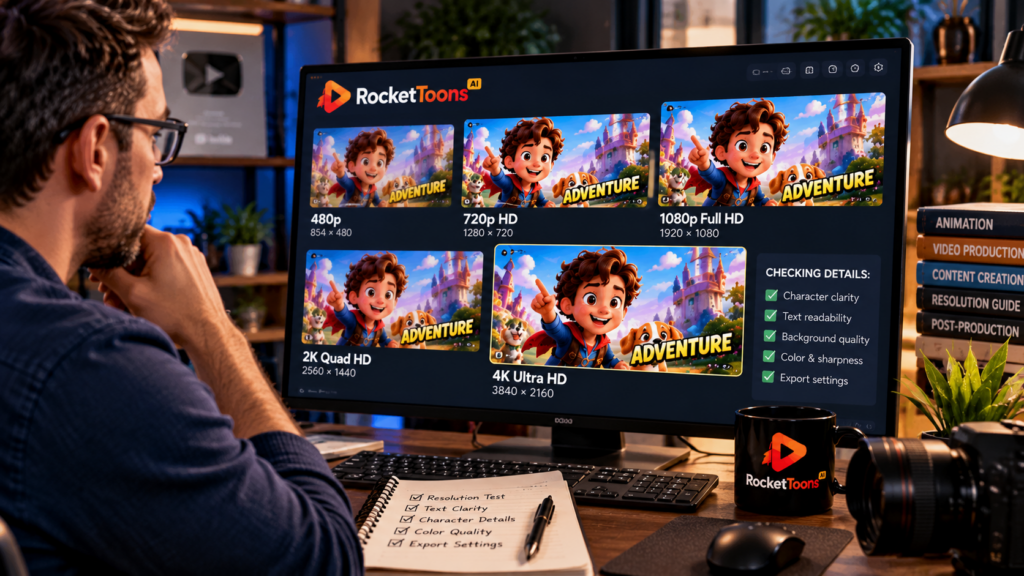
RocketToons AI video quality should be judged by the finished animation, not just the features advertised on its sales page. Buyers should test character consistency, scene transitions, animation movement, voice clarity, dialogue synchronization, visual details, and export resolution before relying on it for regular content production. RocketToons AI advertises an AI-assisted workflow for creating cartoon videos, but the quality of your results will depend on the project, settings, and editing required. If you are considering the software, explore the RocketToons AI offer here and evaluate its output against your expectations before purchasing.
What Determines the Quality of an AI Cartoon Video?
A professional-looking cartoon video requires more than attractive characters. Every scene needs to work together to communicate a story or message clearly.
RocketToons AI advertises features such as AI-assisted script writing, customizable characters, scene creation, multiple visual styles, AI voices, soundtrack options, and storyboard previews.
These capabilities provide several areas worth examining when evaluating the finished video.
The most important quality factors include:
- Visual consistency: Characters and objects should remain recognizable throughout the video.
- Animation movement: Character actions and scene changes should look natural enough for the intended project.
- Scene composition: Backgrounds, characters, and other visual elements should support the story.
- Voice quality: Narration and dialogue should be clear and appropriate for the audience.
- Audio synchronization: Dialogue and character actions should feel properly coordinated.
- Export quality: The finished video should look suitable on the platforms where you intend to publish it.
7 Things Buyers Should Test Before Judging RocketToons AI
1. Character Consistency Across Multiple Scenes
Character consistency is especially important if you plan to produce cartoon series, recurring educational videos, or branded content.
Create a short project featuring the same character in several different scenes. Check whether the character maintains recognizable facial features, clothing, colors, and overall appearance.
Also investigate how the platform handles character customization and reuse.
A character that looks different in every scene can make a video feel disconnected, particularly when viewers are following an ongoing story.
2. Animation Movement and Scene Transitions
A cartoon video should feel like an animated story rather than a collection of unrelated pictures.
Pay attention to how characters move, how actions are represented, and how one scene transitions into another.
Look for:
- Awkward or unnatural character movement.
- Sudden changes in character positioning.
- Unnecessary pauses between scenes.
- Transitions that interrupt the storytelling.
- Actions that do not match the dialogue.
RocketToons AI advertises scene-level controls for adjusting elements such as camera settings, character actions, sound effects, and clip duration. These controls are worth exploring when refining the animation.
3. Voice Quality and Dialogue Delivery
Audio quality can make or break an otherwise attractive cartoon video.
RocketToons AI advertises multiple AI voice options and language support. Buyers should listen carefully to the available voices and consider whether they sound appropriate for their intended audience.
Test a short script containing questions, longer sentences, character names, and words that may be difficult to pronounce.
Check for:
- Clear pronunciation.
- Natural-sounding sentence delivery.
- Appropriate pauses and pacing.
- Consistent voice characteristics.
- Suitable tone for the subject matter.
If the narration sounds robotic or difficult to understand, viewers may lose interest regardless of how good the animation looks.
4. Dialogue Synchronization and Scene Accuracy
A good cartoon video needs visual and spoken elements to work together.
Check whether the characters appear to perform the actions described in the dialogue. If a character is speaking, the scene should support that conversation rather than showing unrelated activity.
Also test how easily you can correct an individual dialogue line or adjust a scene when something does not look right.
RocketToons AI advertises dialogue correction and scene-level editing capabilities, which may help users refine generated content.
5. Backgrounds, Details, and Visual Styles
Backgrounds contribute significantly to the overall appearance of an animated video.
Check whether the environments suit the story. A classroom should look appropriate for an educational video, while a product promotion should use visuals that support the product’s message.
RocketToons AI advertises multiple visual styles and customization options for characters, places, and props.
Experiment with different styles and see which one produces the most suitable results for your audience. Consistency is generally more important than choosing the most elaborate visual design.
6. Storyboard Preview and Overall Pacing
A video can contain attractive scenes but still feel poorly structured.
RocketToons AI advertises storyboard previews and voiced animatics. These are worth investigating because they can help you review the story before finalizing the video.
Check whether:
- The opening captures attention.
- Each scene contributes something useful.
- Dialogue is not unnecessarily repetitive.
- Scenes remain on screen long enough.
- The ending delivers a clear conclusion or call to action.
Good pacing makes a video easier to follow and can improve the overall viewing experience.
7. Export Resolution and Final Playback Quality
The quality of the final exported file matters just as much as the editing experience.
RocketToons AI advertises multiple export formats, including landscape, portrait, and square layouts. Check the available resolution and export conditions for the package you intend to purchase.
After exporting, watch the complete video on a computer and a mobile device.
Look for blurry details, distorted text, audio problems, unwanted cropping, or other issues that may not be obvious when viewing a project inside the editor.
A Simple RocketToons AI Video Quality Test
If you want to evaluate the platform systematically, use the following sample project.
Test project: Create a 60-second cartoon explainer featuring one main character.
- Write a short script with an introduction, three key points, and a conclusion.
- Use the same character in at least three different scenes.
- Include dialogue, narration, and a few character actions.
- Experiment with a background and visual style that suit the subject.
- Preview the storyboard and make corrections where necessary.
- Export the finished video in your preferred format.
- Watch it from beginning to end and note any quality problems.
This practical exercise can reveal more about the platform than simply looking at promotional screenshots.
RocketToons AI Video Quality: What Are the Potential Limitations?
AI-assisted video production can save time, but buyers should not expect every generated scene to be publication-ready.
Potential issues to watch for include:
- Characters changing appearance between scenes.
- Movement that does not match the story.
- Unnatural dialogue delivery or pronunciation.
- Visual details that require manual correction.
- Scenes that need better pacing or composition.
These are evaluation points, not confirmed defects in every RocketToons AI project. The best approach is to test the actual output and determine how much editing is required.
For a broader overview of the advertised features, pricing, upgrades, and buying considerations, read the complete RocketToons AI review and product breakdown.
Frequently Asked Questions
Does RocketToons AI produce high-quality cartoon videos?
RocketToons AI advertises tools for creating animated cartoon videos using AI-assisted scripts, characters, scenes, and voices. Actual output quality should be evaluated through a complete sample project.
Can RocketToons AI maintain character consistency?
The platform advertises customizable characters and character-related controls. Test the same character across multiple scenes to determine whether the results meet your consistency requirements.
Does RocketToons AI support HD video exports?
Check the current package details for the available export resolutions and any restrictions. Do not assume every resolution is included in every offer or upgrade.
Can you edit AI-generated cartoon scenes?
RocketToons AI advertises scene-level controls and dialogue adjustments. Review the available editing options to understand how much control you have over generated content.
Is RocketToons AI suitable for professional business videos?
It may be suitable for certain promotional, educational, and explanatory projects. Businesses should first test visual quality, audio, editing flexibility, and commercial licensing against their professional requirements.
Final Verdict: How Good Is RocketToons AI Video Quality?
RocketToons AI is worth evaluating if you want an AI-assisted approach to cartoon video production, but the finished output should determine whether it meets your quality standards. Do not judge an animation tool solely by its advertised features. Test character consistency, movement, scene transitions, dialogue, voice quality, pacing, and export resolution. Create a small sample project, identify the editing required, and decide whether the workflow delivers enough value for your intended content. For more information about the platform, its advertised features, pricing, and optional upgrades, explore the full RocketToons AI review at Product Oasis.