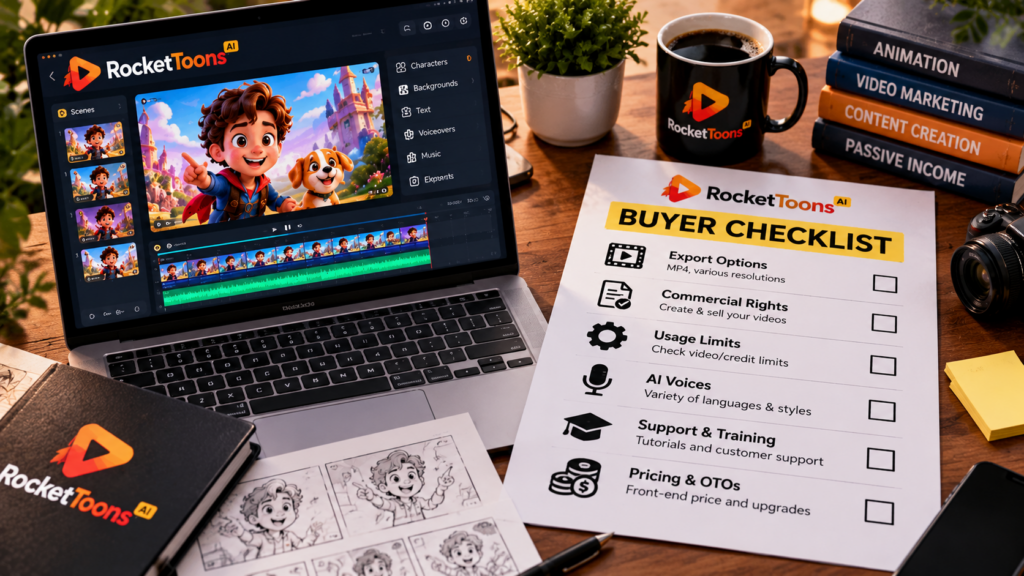
Before buying RocketToons AI, you should check at least 10 things: the included features, AI video quality, character consistency, editing controls, voice options, export formats, usage limits, upgrade costs, commercial licensing, and refund terms. These checks can help you decide whether the platform fits your experience, budget, and content creation goals. If you are considering the offer, check out RocketToons AI here, but review the details carefully before making a purchase.
Why Should You Check RocketToons AI Before Buying?
AI cartoon video makers can make content creation more accessible, but not every platform suits every creator. A tool may advertise impressive features yet still require editing, additional purchases, or a learning period before you can produce videos that meet your expectations.
RocketToons AI is promoted as an AI-assisted cartoon video creation platform. Its advertised capabilities include script assistance, customizable characters, scene creation, AI voices, soundtrack options, storyboard previews, and different video export formats.
The important question is not simply whether RocketToons AI has many features. It is whether those features solve the specific problems you want to overcome.
Use this 10-point checklist to evaluate the offer before purchasing.
10 Things to Check Before Buying RocketToons AI
1. Check Which Features Are Included in the Initial Offer
Start by identifying exactly what you receive with the front-end purchase.
RocketToons AI advertises features such as AI script writing, cartoon character creation, scene generation, multiple visual styles, voice options, and video exports.
Do not assume every feature shown in promotional material is automatically included in the initial purchase. Check the offer details and identify which capabilities require optional upgrades.
2. Evaluate the Quality of AI-Generated Videos
Video quality should be one of your biggest considerations.
Look beyond attractive promotional screenshots. Pay attention to:
- Character appearance and visual consistency.
- Scene composition and movement.
- Dialogue synchronization.
- Voice clarity and natural delivery.
- Transitions and overall storytelling quality.
A video maker is only useful if its output meets your publishing standards. Remember that generated scenes may need human review and refinement.
3. Check Character Consistency
If you plan to create recurring cartoon characters, consistency matters.
A character should maintain a recognizable appearance across different scenes and episodes. Check whether you can customize characters, reuse them, and maintain a consistent visual identity throughout a project.
This is particularly important for YouTube cartoon series, educational videos, and branded storytelling.
4. Review the Editing and Customization Controls
AI-generated content is rarely perfect on the first attempt.
RocketToons AI advertises scene-level controls that allow users to adjust elements such as camera settings, character actions, sound effects, and clip duration. It also promotes dialogue corrections and storyboard previews.
Before buying, consider how much control you will have when something needs changing. Can you correct an individual scene without rebuilding the entire video? Can you improve dialogue and adjust the pacing?
Editing flexibility can make a major difference to your finished content.
5. Check the Available AI Voices and Languages
Voice quality influences how professional your cartoon videos sound.
RocketToons AI advertises multiple AI voices and language options. Check whether the available voices suit your audience and whether the pronunciation, tone, and delivery are appropriate for your content.
If you intend to create educational videos, business explainers, or multilingual content, test voice quality carefully before relying on it for regular production.
6. Verify Export Formats and Video Resolution
Your finished videos need to work on the platforms where you intend to publish them.
RocketToons AI advertises landscape, portrait, and square export formats. These can be useful for creating content for YouTube, vertical video platforms, and social media feeds.
Check the actual export resolution, file formats, watermark conditions, and any restrictions attached to your selected offer.
Do not assume that every export option is available without limitations.
7. Understand Usage Limits and Storage Restrictions
This is one of the most important checks for anyone planning to produce videos regularly.
Look for information about:
- Monthly or lifetime AI credits.
- Rendering and generation limits.
- Maximum video duration.
- Storage periods and project retention.
- Restrictions on the number of completed videos.
Some additional capabilities may be associated with upgrades. Understand the limits of the package you are purchasing rather than relying on general promotional claims.
8. Calculate the Total Cost, Including Optional Upgrades
RocketToons AI has been promoted with a front-end offer advertised at $37 one-time. However, the initial price is not necessarily the total cost of accessing every advertised capability.
Check the optional upgrades and determine whether they provide features you genuinely need.
Ask yourself:
- Can I achieve my main goal with the initial package?
- Are additional credits or extended video limits necessary?
- Do I need advanced editing, publishing, or team features?
- Are there recurring charges or renewal conditions?
A sensible purchase decision considers the total cost of the workflow, not just the headline price.
9. Verify Commercial Licensing and Usage Rights
If you plan to create videos for clients, businesses, advertisements, or monetized channels, licensing deserves special attention.
Read the current terms to understand whether your intended commercial activities are permitted.
Check the rules covering:
- Publishing videos on monetized YouTube channels.
- Creating promotional videos for businesses.
- Selling video creation services to clients.
- Using generated characters, music, and voice assets commercially.
- Redistributing or reselling completed projects.
Do not assume that commercial use, client work, and software resale rights are identical. Each may have different conditions.
10. Review Customer Support and Refund Conditions
Finally, understand what happens if the software does not meet your expectations.
Check the stated refund period, eligibility conditions, support availability, and the process for requesting assistance.
Also consider whether documentation or tutorials are available to help you understand the platform.
A clear support and refund policy can make purchasing a new software product less uncertain.
RocketToons AI Buying Checklist: Quick Summary
Use this table before completing your purchase.
| Check | What to Verify |
|---|---|
| 1. Included features | What the initial purchase actually provides |
| 2. Video quality | Visuals, movement, audio, and scene quality |
| 3. Character consistency | Ability to maintain recognizable characters |
| 4. Editing controls | Scene adjustments and dialogue corrections |
| 5. Voices and languages | Voice quality and available language options |
| 6. Export options | Formats, resolution, and watermark conditions |
| 7. Usage limits | Credits, rendering, duration, and storage |
| 8. Total cost | Initial price and optional upgrades |
| 9. Commercial rights | Permissions for your intended projects |
| 10. Support and refunds | Customer assistance and refund conditions |
For a more detailed look at the advertised features, pricing, optional upgrades, and overall buying considerations, read the complete RocketToons AI review and product breakdown.
Frequently Asked Questions
Is RocketToons AI worth buying?
RocketToons AI may be worth considering if you want an AI-assisted platform for creating cartoon videos. Its value depends on the quality of the output, included features, usage limits, licensing, and whether its workflow meets your needs.
Is RocketToons AI a one-time purchase?
The front-end offer has been advertised at a one-time price of $37. Check the current checkout details and terms to confirm the price and whether optional upgrades or other charges apply.
Does RocketToons AI include commercial rights?
Review the current license before using generated videos for client work, advertising, or monetized projects. Confirm that the specific activity you intend to undertake is permitted.
Do you need technical skills to use RocketToons AI?
Its AI-assisted workflow is intended to simplify cartoon video creation. Beginners may still need time to learn the interface, improve scripts, adjust scenes, and review generated videos.
Should you purchase every RocketToons AI upgrade?
No. Start with your actual requirements. Compare each upgrade against the features included in the initial package and purchase additional capabilities only when they provide meaningful value.
Final Thoughts: Make an Informed RocketToons AI Purchase
The smartest way to buy RocketToons AI is to evaluate the complete offer rather than making a decision based on promotional features or the initial price alone. Check the video quality, character consistency, editing controls, export options, usage limits, optional upgrades, commercial licensing, and refund conditions. If these factors align with your goals, RocketToons AI could be a useful tool to explore for cartoon video creation. Take your time, understand what you are purchasing, and make a decision based on your actual content needs. For the complete feature breakdown, pricing discussion, and buying overview, visit the full RocketToons AI review at Product Oasis.