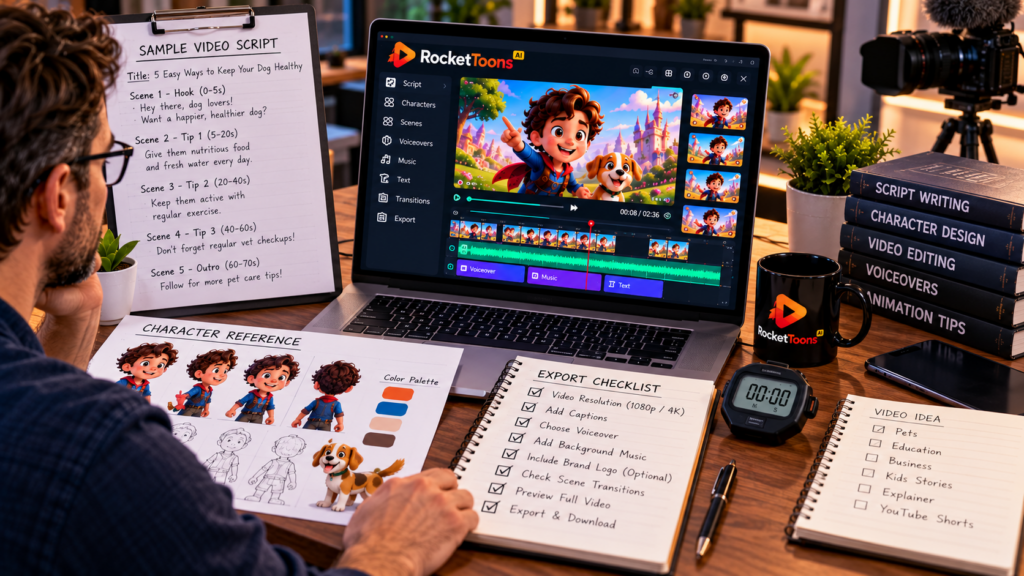
The best way to test an AI cartoon video maker before buying is to create a realistic sample video and evaluate its character consistency, animation quality, voiceovers, editing controls, export options, and total production cost. A polished promotional demonstration does not necessarily show how well a platform performs with your own scripts and creative requirements. If RocketToons AI is on your shortlist, review the current offer here, then use the practical testing checklist below to decide whether its advertised capabilities match your needs.
Why You Should Test an AI Cartoon Video Maker Before Buying
AI cartoon video tools can make animation production more accessible, but different platforms produce different results. One may offer attractive characters but limited editing controls. Another may generate good scenes but struggle with consistent voices or visual continuity.
Testing before committing helps you identify these differences.
It also helps you avoid paying for features you may never use. Instead of choosing a platform because it has an impressive feature list, you can evaluate whether it actually helps you produce the videos you want.
RocketToons AI advertises features such as AI script assistance, customizable cartoon characters, scene creation, voice options, soundtrack features, storyboard previews, and scene-level editing. These are useful capabilities to investigate during a hands-on evaluation.
How to Test an AI Cartoon Video Maker in 10 Steps
1. Start With a Realistic Video Idea
Do not test the software with a random sentence that tells you very little about its capabilities.
Choose an idea similar to the videos you intend to publish. For example:
- A 60-second animated business explainer.
- A short educational cartoon for students.
- A product introduction featuring a cartoon character.
- A social media story with two characters talking.
- A short promotional video with a clear call to action.
A realistic project will help you judge whether the platform is suitable for your actual content strategy.
2. Test the AI Scriptwriting Features
If the platform includes AI script assistance, give it a specific assignment.
For example, ask it to create a one-minute cartoon explaining a product or teaching a simple concept.
Check whether the script:
- Has a clear beginning, middle, and ending.
- Uses natural-sounding dialogue.
- Explains the subject accurately.
- Fits the requested video length.
- Includes a suitable call to action when needed.
A useful AI video maker should help you develop a workable script, not simply produce generic dialogue that requires extensive rewriting.
3. Check Character Consistency
Character consistency is one of the most important things to test when creating cartoon videos.
Create a character and use it in several scenes. Then check whether the character maintains recognizable visual details, including:
- Face shape and appearance.
- Clothing and accessories.
- Hair, colors, and distinctive features.
- Overall cartoon style.
Also test whether the character remains recognizable when the scene, camera angle, or action changes.
This is especially important if you plan to create recurring characters or a multi-episode cartoon series.
4. Evaluate Scene Generation and Animation
A cartoon video needs more than attractive still images. The scenes should communicate the story and provide enough visual movement to keep viewers interested.
Test several different scene types, such as:
- A character speaking directly to the audience.
- Two characters interacting.
- A character moving through an environment.
- A product or object being demonstrated.
- A scene that changes location or camera perspective.
Look for awkward movement, visual inconsistencies, distracting transitions, and scenes that do not match the script.
5. Listen Carefully to the AI Voices
Voice quality can make a significant difference to the finished video.
Test the available voices with dialogue that includes different sentence lengths, punctuation, and character emotions.
Evaluate:
- Pronunciation and clarity.
- Natural pacing and pauses.
- Voice suitability for your audience.
- Consistency across scenes.
- Whether different characters sound distinguishable.
If you intend to publish videos in multiple languages, test the actual languages you plan to use rather than assuming every voice will perform equally well.
6. Test Editing and Revision Controls
Your first generated result may not be perfect. The ability to make corrections is therefore just as important as the initial generation.
Try changing a dialogue line, adjusting a scene, modifying character actions, or regenerating a section.
Check whether the platform makes it straightforward to correct individual elements without unnecessarily rebuilding the entire project.
RocketToons AI advertises scene-level controls and dialogue adjustments. These are worth testing with a project that requires several small revisions.
7. Review the Storyboard and Preview Process
A storyboard or preview can help you identify problems before completing the final video.
Check whether you can understand the sequence of scenes, identify missing story elements, and assess whether the dialogue matches the visuals.
RocketToons AI advertises storyboard still previews and voiced animatic features. During your evaluation, determine whether these tools help you catch problems early enough to save production time.
8. Check Export Quality and Formats
A video that looks good inside an editor still needs to work on the platforms where you intend to publish it.
Check the available export options and confirm that they meet your requirements.
For example:
- 16:9 for standard YouTube videos.
- 9:16 for vertical Shorts and mobile-first content.
- 1:1 for square social media placements.
- HD or higher resolution where required.
- MP4 or another suitable delivery format.
Also check for watermarks, export restrictions, storage limits, and any package requirements that apply to your intended use.
9. Calculate the Real Cost of Production
Do not evaluate a platform only by its advertised purchase price.
Consider the complete cost of producing a finished video, including:
- Initial software purchase.
- Optional upgrades.
- AI credits or additional usage charges.
- Time spent correcting scenes and dialogue.
- Any external editing or audio tools you still need.
Divide your total expenses by the number of usable videos you produce. This gives you a more realistic cost per finished video.
RocketToons AI has been promoted with a $37 one-time front-end offer, but you should verify the current checkout details and included allowances before treating that amount as your complete production cost.
10. Review Commercial Rights and Support
If you plan to use your videos for business marketing or paid client projects, check the applicable license before purchasing.
Confirm whether the license covers your intended commercial activities, and review any restrictions concerning generated assets, third-party materials, redistribution, or client delivery.
Also investigate the available support arrangements, refund terms, and access conditions. A low-cost tool is not necessarily a good investment if its terms do not fit your business requirements.
RocketToons AI Testing Checklist
Use this checklist while evaluating RocketToons AI or another cartoon video platform.
{@body const checks = [“I created a video based on a realistic content idea.”,”The AI-generated script needed only manageable corrections.”,”Characters remained recognizable across multiple scenes.”,”Scene generation matched the story and dialogue.”,”Voiceovers sounded clear and natural.”,”I could edit dialogue and individual scenes.”,”Storyboard previews helped me identify problems.”,”Exports met my resolution and aspect-ratio requirements.”,”I understood the credits, limits, and total production costs.”,”I reviewed commercial rights, refund terms, and support details.”]}
{@body const [done,setDone] = DIL.useState([])}
**Your evaluation progress**
{#each checks as item,i}
{/each}
How to Compare Two AI Cartoon Video Makers Fairly
If you are choosing between RocketToons AI and another platform, use the same test project in both.
Keep the script, approximate video length, character requirements, and export format consistent. Then compare the results using these criteria:
| Evaluation area | What to look for |
|---|---|
| Visual quality | Clear scenes and attractive artwork |
| Character consistency | Recognizable characters throughout the video |
| Voice quality | Clear dialogue and natural pacing |
| Editing | Convenient corrections and scene adjustments |
| Production time | Time required to create a publishable video |
| Overall cost | Total expense per finished video |
Do not automatically choose the platform with the most features. Choose the one that delivers the best results for your particular projects.
For a closer look at RocketToons AI’s advertised capabilities, pricing, and buying considerations, read the complete RocketToons AI review.
Frequently Asked Questions
Can I test an AI cartoon video maker without buying it?
That depends on the provider. Some platforms offer free trials, demonstrations, or limited free accounts, while others require a purchase. Check the current access arrangements before assuming a free trial is available.
What is the most important feature to test in an AI cartoon video maker?
Character consistency, scene quality, voiceovers, and editing controls are all important. The most important feature depends on your intended video format and audience.
How many videos should I create during a test?
Start with one representative video containing several scenes and at least one revision. If recurring characters or a series are important to your workflow, create a second short video to check consistency.
Should I test an AI cartoon video maker with my own script?
Yes. Your own script provides a more realistic test than a generic promotional example. It helps you evaluate whether the platform can handle your actual content requirements.
What should I check before buying RocketToons AI?
Review its current price, included features, credit allowances, export options, commercial-use terms, optional upgrades, refund policy, and support arrangements. Test the workflow wherever a suitable demonstration or trial is available.
Final Thoughts: Test the Workflow, Not Just the Sales Demo
The smartest way to choose an AI cartoon video maker is to evaluate the finished videos it can help you produce, not simply the number of features listed on its sales page. Test a realistic script, check character consistency, listen to the voices, revise individual scenes, review export quality, and calculate the cost of producing usable content. RocketToons AI may be worth considering if its advertised cartoon creation workflow matches your requirements, but the final decision should come from your own evaluation of its output, limitations, and purchase terms. For the full feature and pricing breakdown, visit the complete RocketToons AI review at Product Oasis.